Circle Social Event
& Networking App

A social networking and event discovery application designed to bring people together through shared interests, local activities, and real-world experiences.

Industry
Social Networking, Events & Lifestyle
Engagement
Full-Stack Mobile App Development
Timeline
40 Days
Deliverable
iOS & Android App + Backend & APIs
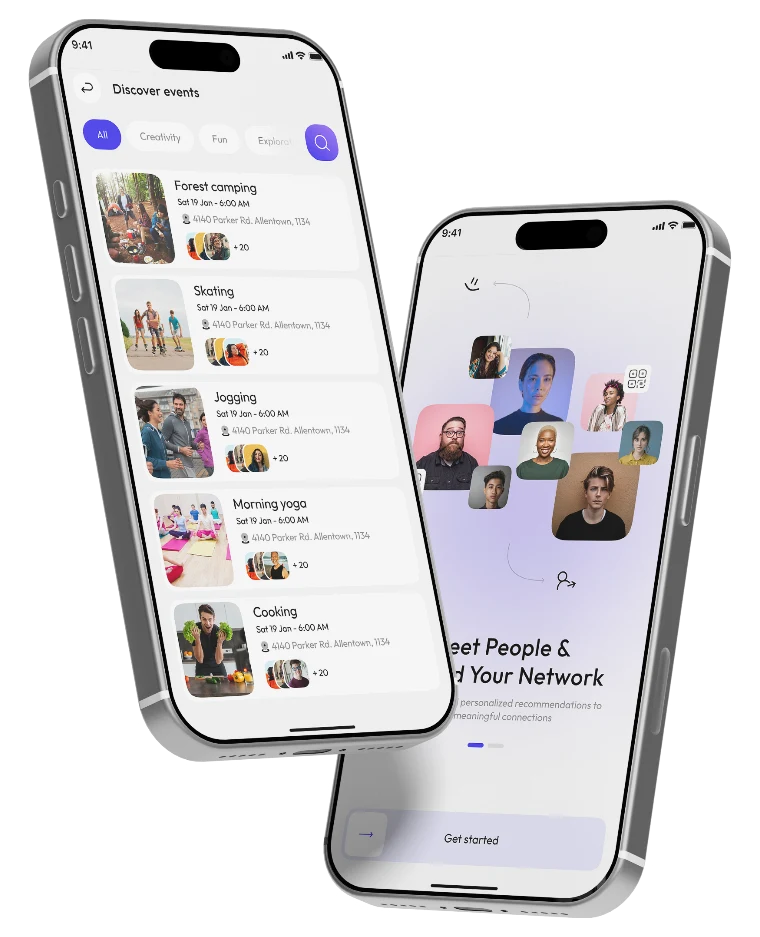
Circle event discovery and profile screens
Project Description

Circle Social Event & Networking App

Finding interesting events and connecting with people who share similar interests can be challenging. Circle simplifies this experience by bringing event discovery, social networking, and event management together in one mobile application.

Users can create personalized profiles, explore activities, discover new people, and participate in public or private events. The platform also allows users to organize their own events, invite participants, manage attendance, and share event invitations through QR codes.

Starting with the client's Figma designs, our team transformed the complete user interface into a fully functional Flutter application. We developed the backend using Node.js, integrated MongoDB and Firebase, and implemented the core application features within a 40-day delivery timeline.

Project Goals & Key Features

  1. Personalized User Onboarding

    Enable users to create accounts, set up profiles, choose personality types, upload photos, and select personal interests.

  2. Event Discovery

    Help users explore events through categories, personalized recommendations, and activity-based searches.

  3. Social Networking & Connections

    Allow users to discover people, send connection requests, manage contacts, and build their social circles.

Circle home and suggested people screens
  1. Event Creation & Management

    Provide tools to create public or private events, add descriptions and photos, select activity tags, and set dates, times, and locations.

  2. Event Participation & Attendance

    Let users view event details, check attendee lists, track participation, and mark attendance using QR-based event access.

  3. Calendar & Event Tracking

    Organize upcoming and past events in a calendar, making it easier for users to manage and keep track of their activities.

Product Strategy

Where Strategy Meets Execution.

Bringing people together through shared interests and experiences, from a personalized profile to the events they create and join.

Personalize — 01

Personalize the Experience

Guide users through account creation, profile setup, and interest selection to establish their social preferences.

Connect— 02

Discover & Connect

Make it easy to explore activities, discover events, and connect with people who share similar interests.

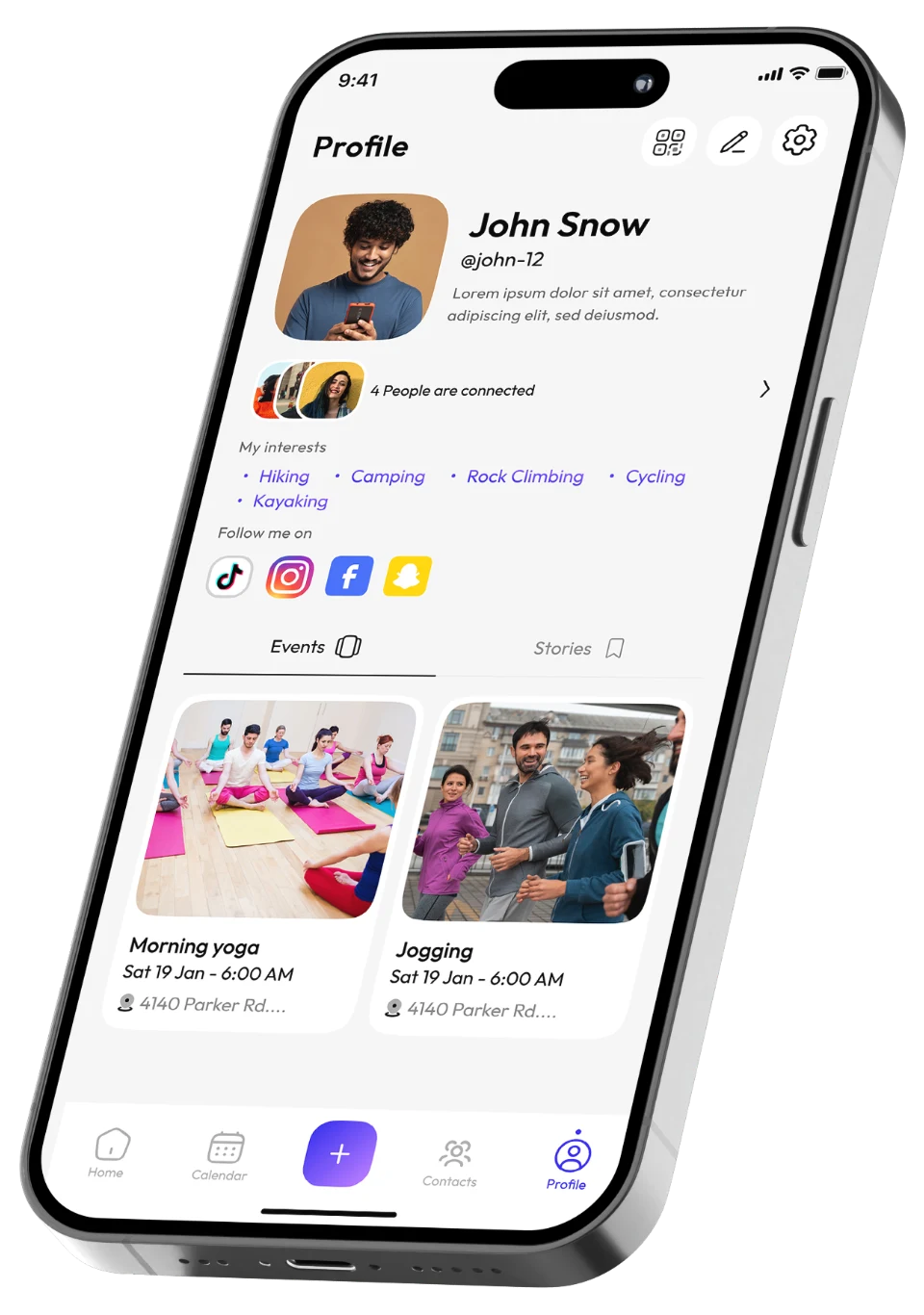
Circle profile screen

03 — Create

Create & Participate

Provide a structured event creation experience with tools to organize activities and manage participation.

04 — Manage

Manage Social Activities

Bring event calendars, attendance, QR invitations, social connections, and profile management together in one platform.

Product Outcomes

Built for More Meaningful Social Connections.

Circle brings event discovery, social networking, and event management into one connected mobile experience.

Build Your App
  1. 01Fully functional Flutter application developed from Figma designs.
  2. 02Personalized onboarding and user profile creation.
  3. 03Interest-based event discovery and recommendations.
  4. 04Social networking and connection management.
  5. 05Public and private event creation and participation.
  6. 06QR-based event invitations and attendance.
  7. 07Calendar-based event management and tracking.
  8. 08Social media links and account preferences.
  9. 09Complete mobile and backend development delivered in 40 days.
Technology Behind The Project

The Stack Behind Circle.

A cross-platform mobile application and backend foundation supporting user profiles, event discovery, social connections, and event management.

  • Flutter
  • Dart
  • Node.js
  • MongoDB
  • Firebase

A Closer Look At The Circle App.

01 - User Access & Onboarding

Sign Up. Make It Personal.

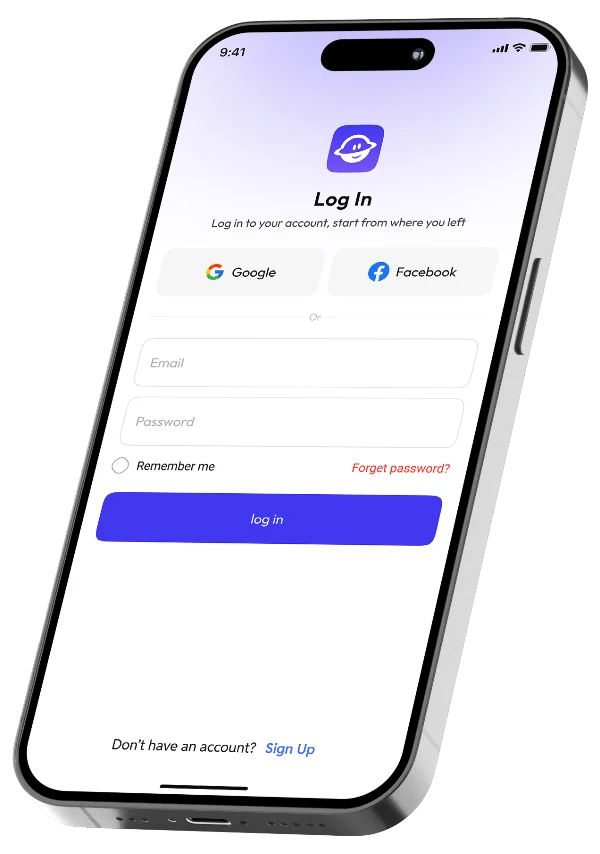
The onboarding and signup screens introduce Circle and guide users through account creation, personality selection, profile photo upload, and interest preferences.

  • Sign Up
  • Personality Type
  • Profile Photo
  • Interests
Circle user access & onboarding screen

02 - Home & Event Discovery

Discover Events. Meet New People.

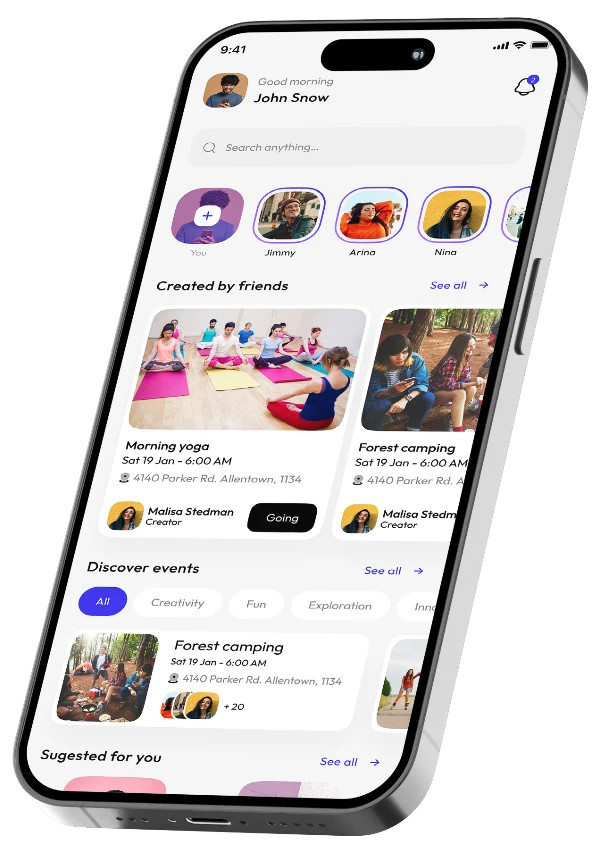
The home screen provides access to recommended events, stories, suggested people, and event categories, helping users discover activities based on their interests.

  • Recommended Events
  • Stories
  • Suggested People
  • Categories
Circle home & event discovery screen

03 - Event Details & Participation

Explore Events. Join The Activity.

The event details screen presents event information, host details, attendee previews, activity tags, location, and participation options.

  • Event Info
  • Host Details
  • Attendees
  • Location
Circle event details & participation screen

04 - Create An Event

Create Events. Set The Details.

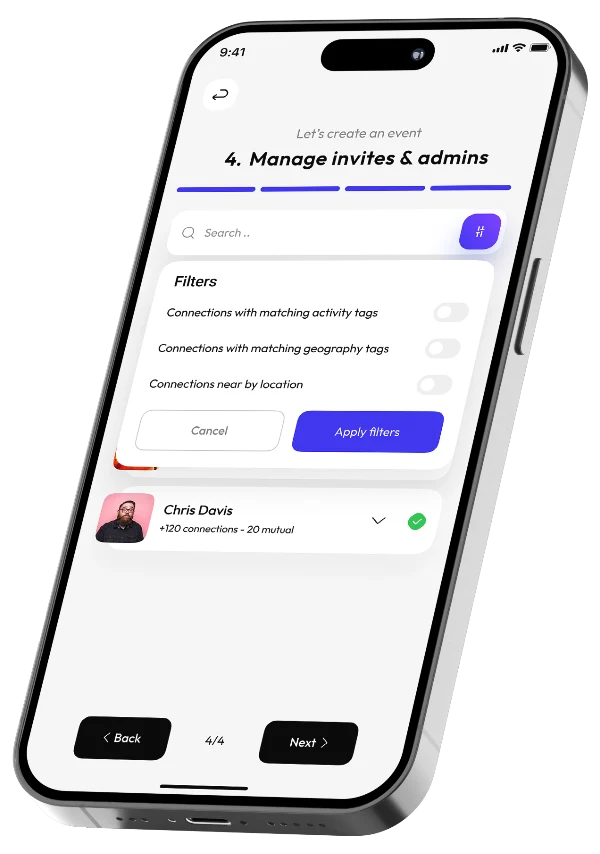
The event creation screen allows users to enter event details, select activity and geographical tags, upload photos, and configure dates, times, and locations.

  • Event Details
  • Activity Tags
  • Photos
  • Date & Location
Circle create an event screen

05 - Social Connections & Contacts

Build Your Circle. Grow Connections.

The contacts screen helps users discover people, manage connections, and respond to incoming connection requests.

  • Discover People
  • Contacts
  • Connection Requests
Circle social connections & contacts screen

06 - Calendar & Event Management

Plan Ahead. Track Every Event.

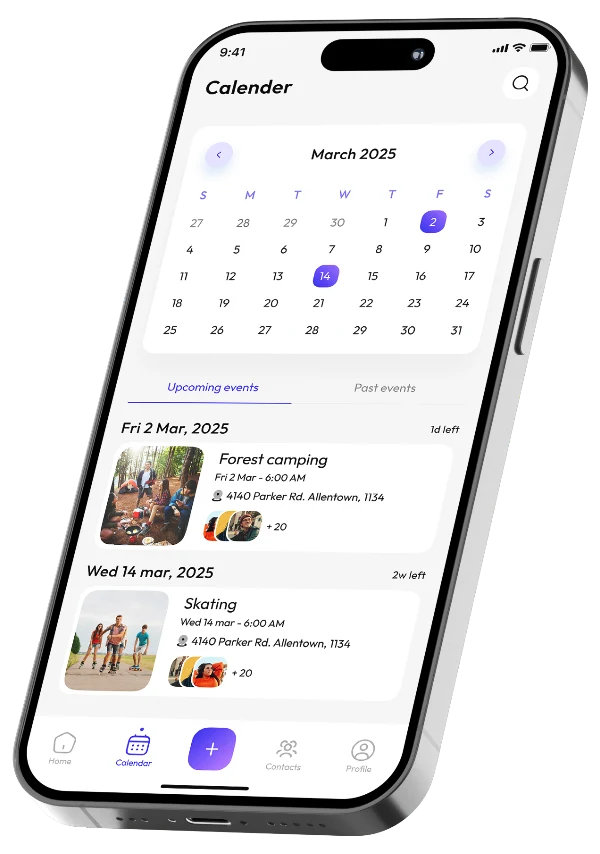
The calendar screen organizes upcoming and past events, allowing users to keep track of their activities.

  • Calendar
  • Upcoming Events
  • Past Events
Circle calendar & event management screen

07 - QR Code Event Access

Scan In. Access Events Instantly.

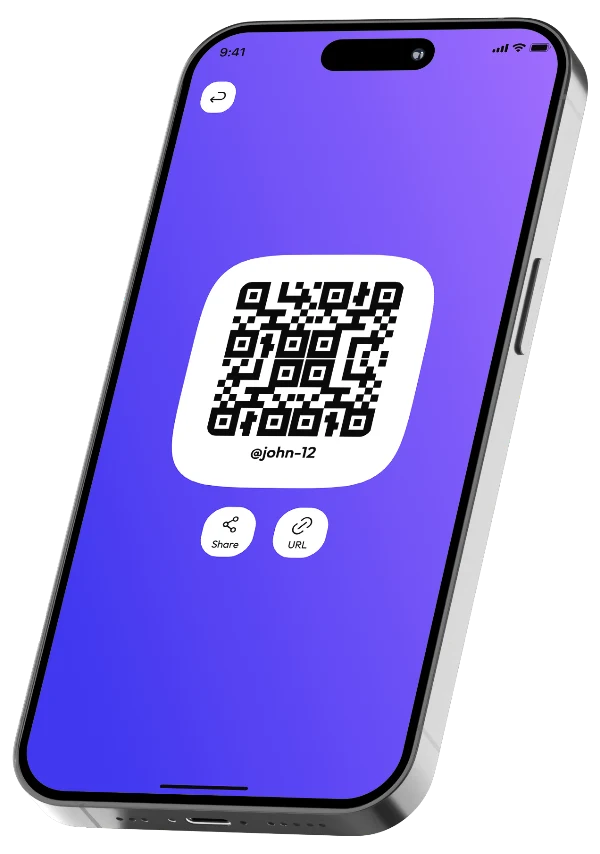
The QR screen provides a scannable event invitation that participants can use to access event information.

  • QR Invitation
  • Event Access
  • Attendance
Circle qr code event access screen

08 - Profile & Account Settings

Your Profile. Your Preferences.

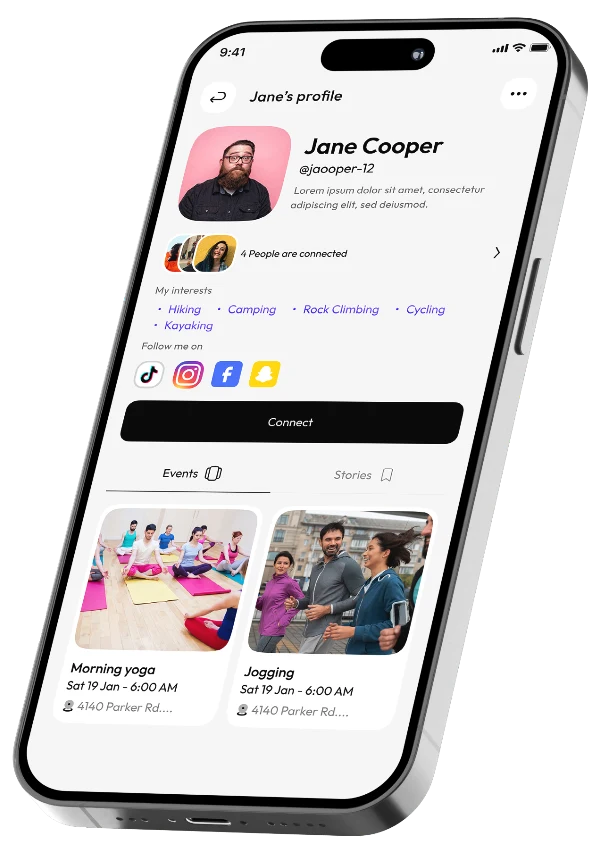
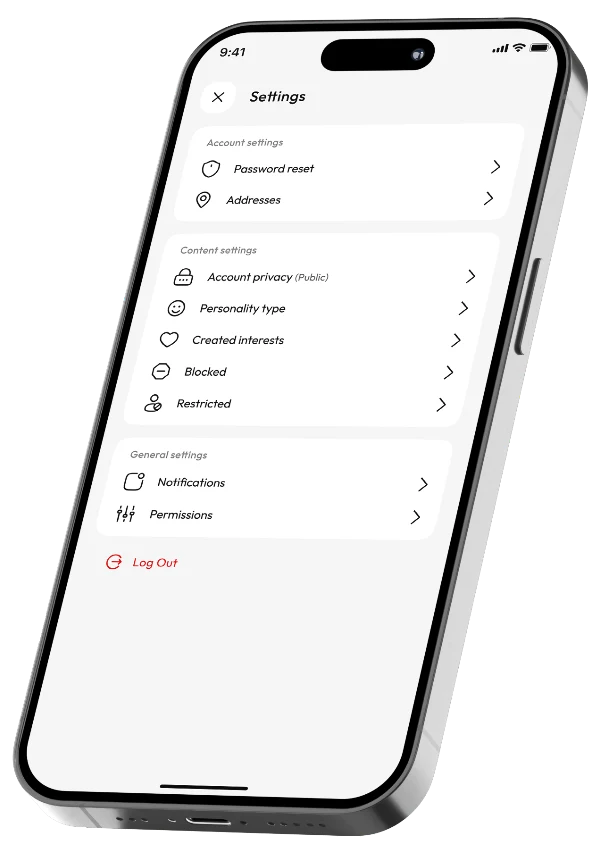
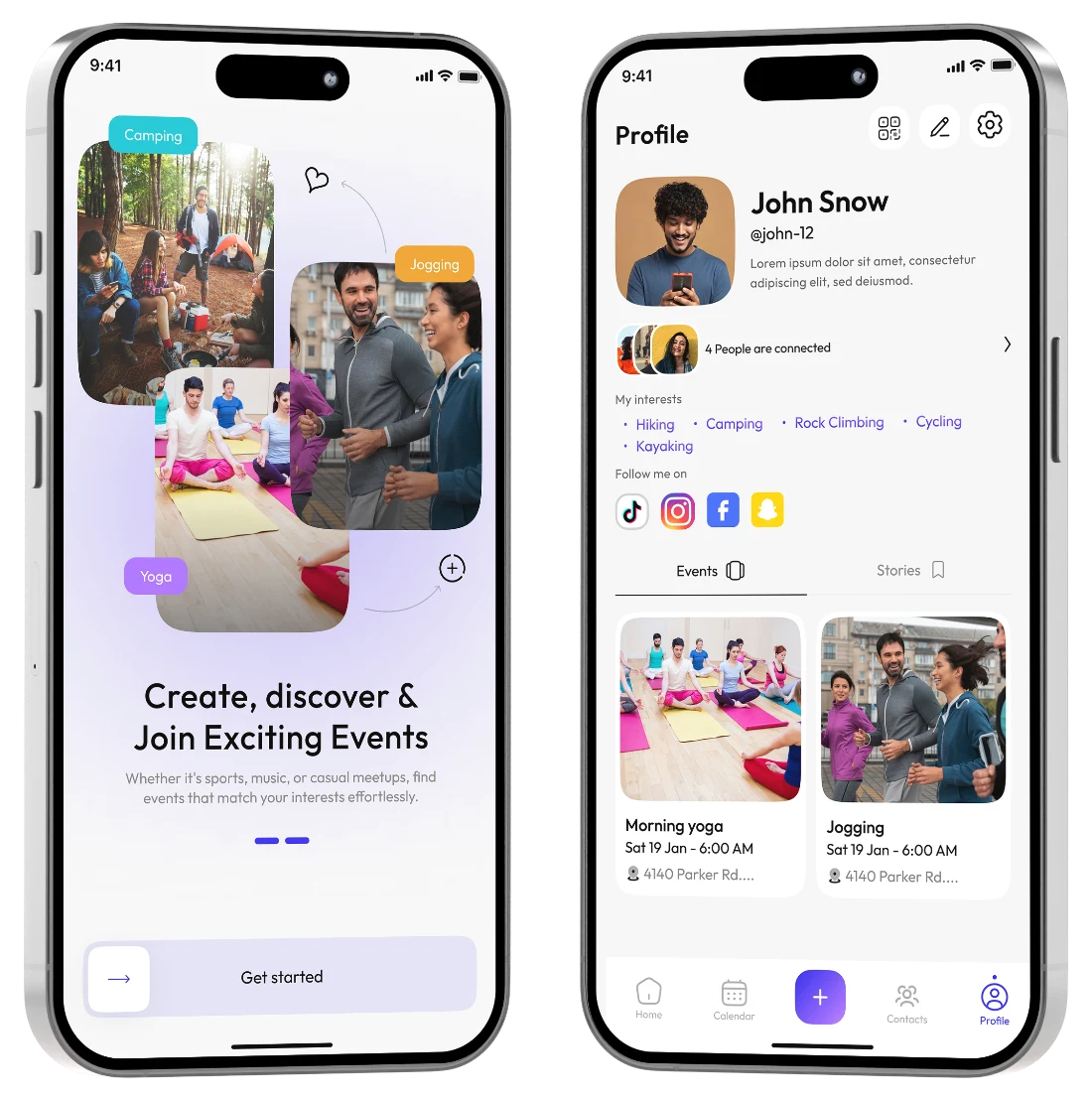
The profile screen brings together personal information, interests, social links, events, and account preferences.

  • Personal Info
  • Interests
  • My Events
  • Account Settings
Circle profile & account settings screen

09 - Social Media Links

Link Your Socials. Share Your Presence.

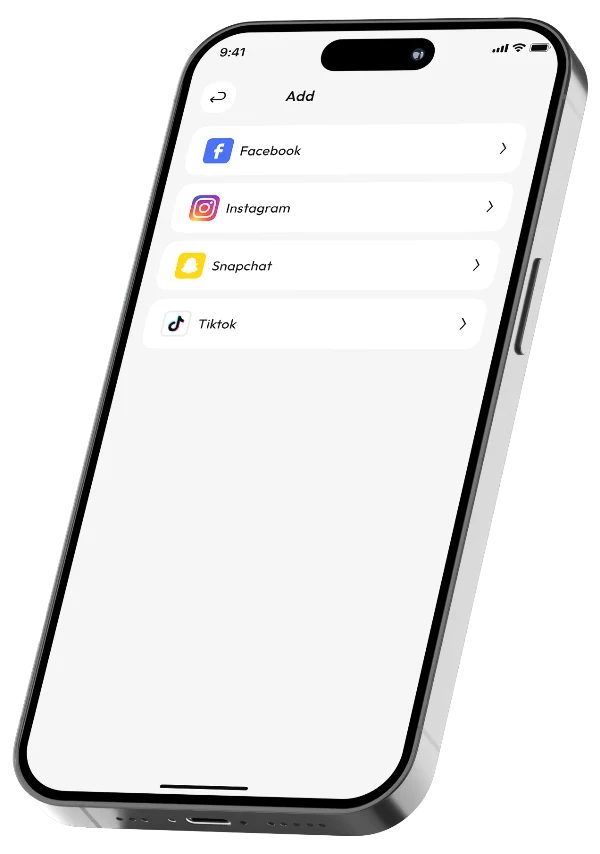
The social media links screen allows users to add Facebook, Instagram, Snapchat, and TikTok links to their Circle profiles, helping them share their social presence and connect with others.

  • Facebook
  • Instagram
  • Snapchat
  • TikTok
Circle social media links screen

10 - Event Details & Location

See The Full Picture. Confirm Attendance.

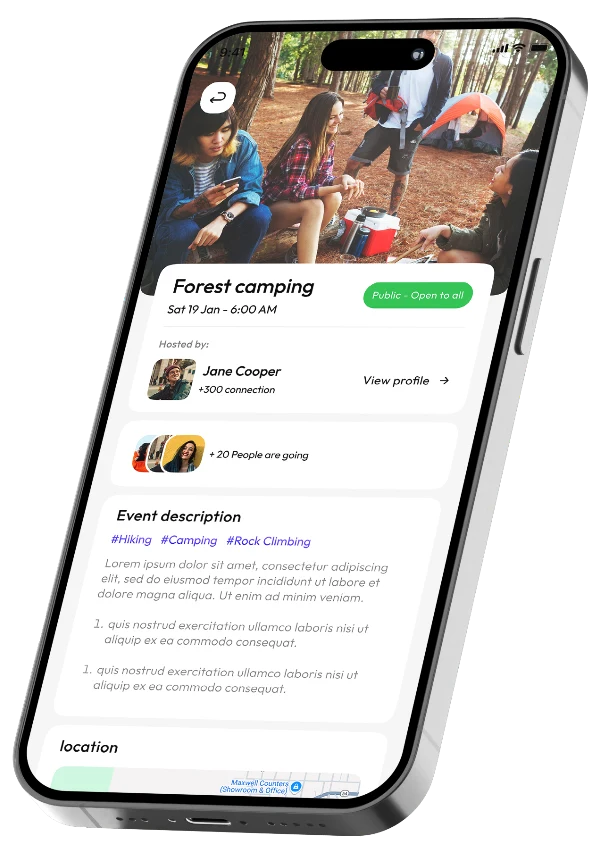
The event details screen provides a complete overview of an activity, including its cover image, host profile, attendee previews, event description, activity tags, map location, and attendance confirmation options.

  • Cover Image
  • Host Profile
  • Map Location
  • Attendance
Circle event details & location screen

More Ways To
Connect On Circle.

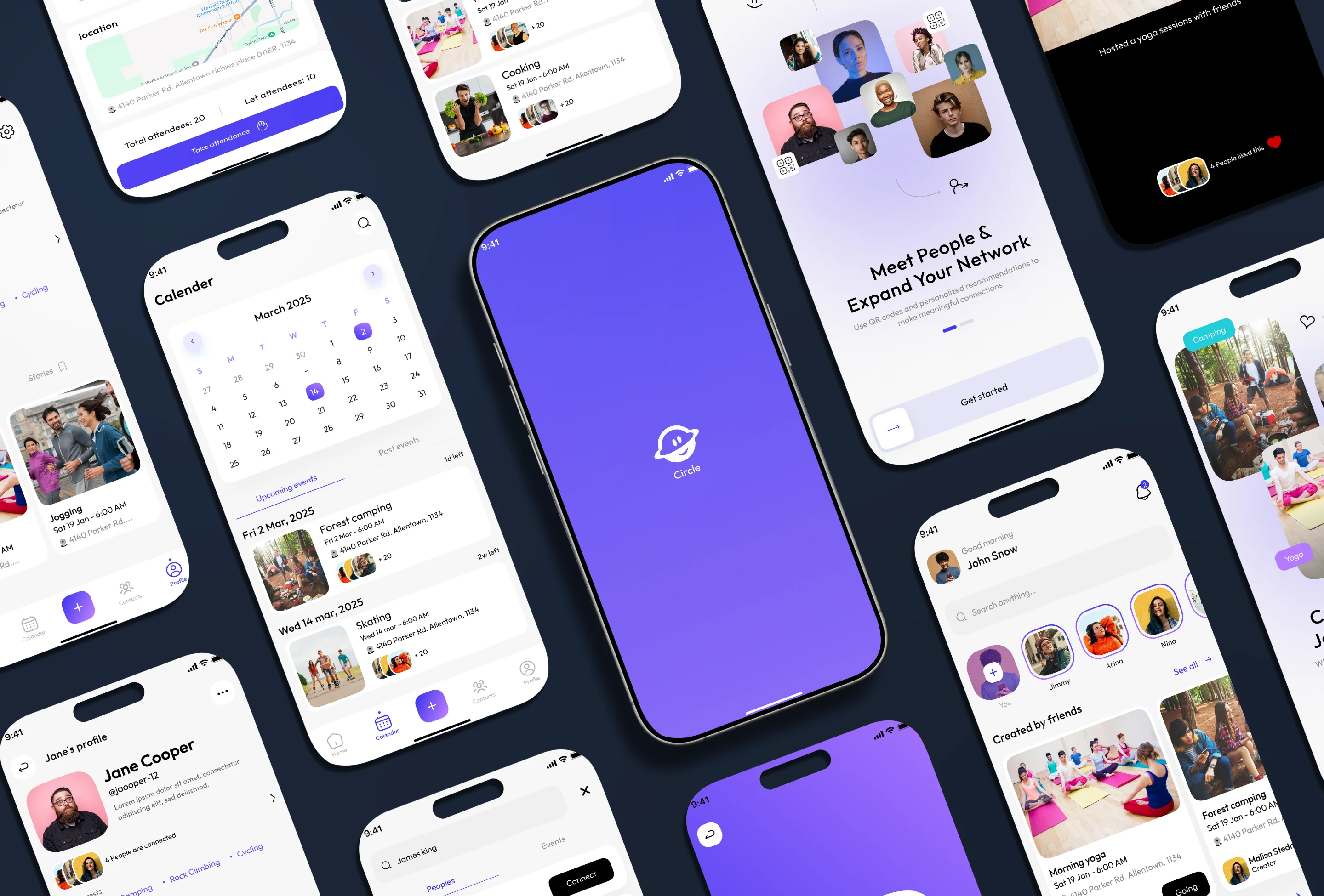
From onboarding and event discovery to contacts, calendars, and QR invitations, Circle brings the whole social event experience together in one app.

Circle screens: calendar, home, contacts, suggested people, splash and event details
Testimonials

What Our Clients Are Saying.

I had a really good experience working with Waqas and his team at DevPixel Solutions on the development of our Tawadoo app. From the beginning, Waqas understood what we wanted to build and was always willing to discuss ideas and find the right solutions. His team did a great job turning our requirements into a working app. What I appreciated most was their communication, patience, and willingness to make adjustments whenever needed. Waqas stayed involved throughout the project and made sure things kept moving in the right direction. It was a pleasure working with Waqas and his team. I'd happily recommend DevPixel Solutions to anyone looking for a reliable team for mobile app development.

Ready to See More?

More Products. More Stories. More Work. Explore the case studies behind the products.

Explore More Case Studies
Ready to Build What's Next?

Your App
Could Be Next.

Status: Taking_OrdersMobile apps from idea to App Store