Vimazi
AR & AI Body
Measurement App

An AR and AI-powered mobile application designed to support clinicians in recording and reviewing patient movement assessments. Vimazi brings patient management, assessment setup, treadmill video recording, visual measurement results, and report management into one connected experience.

Industry
Healthcare / Medical Technology
Engagement
Mobile App Development
Timeline
30 Days
Deliverable
iOS & Android Application / Backend
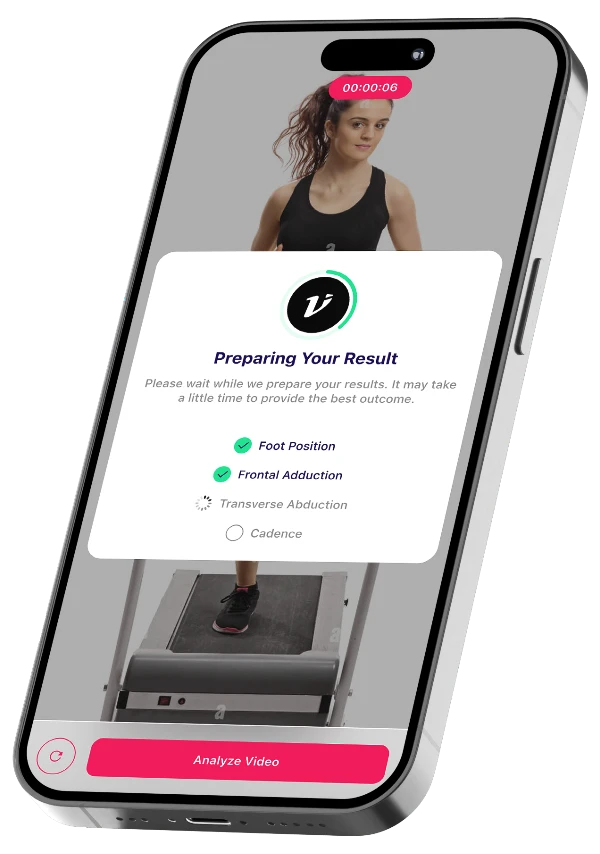
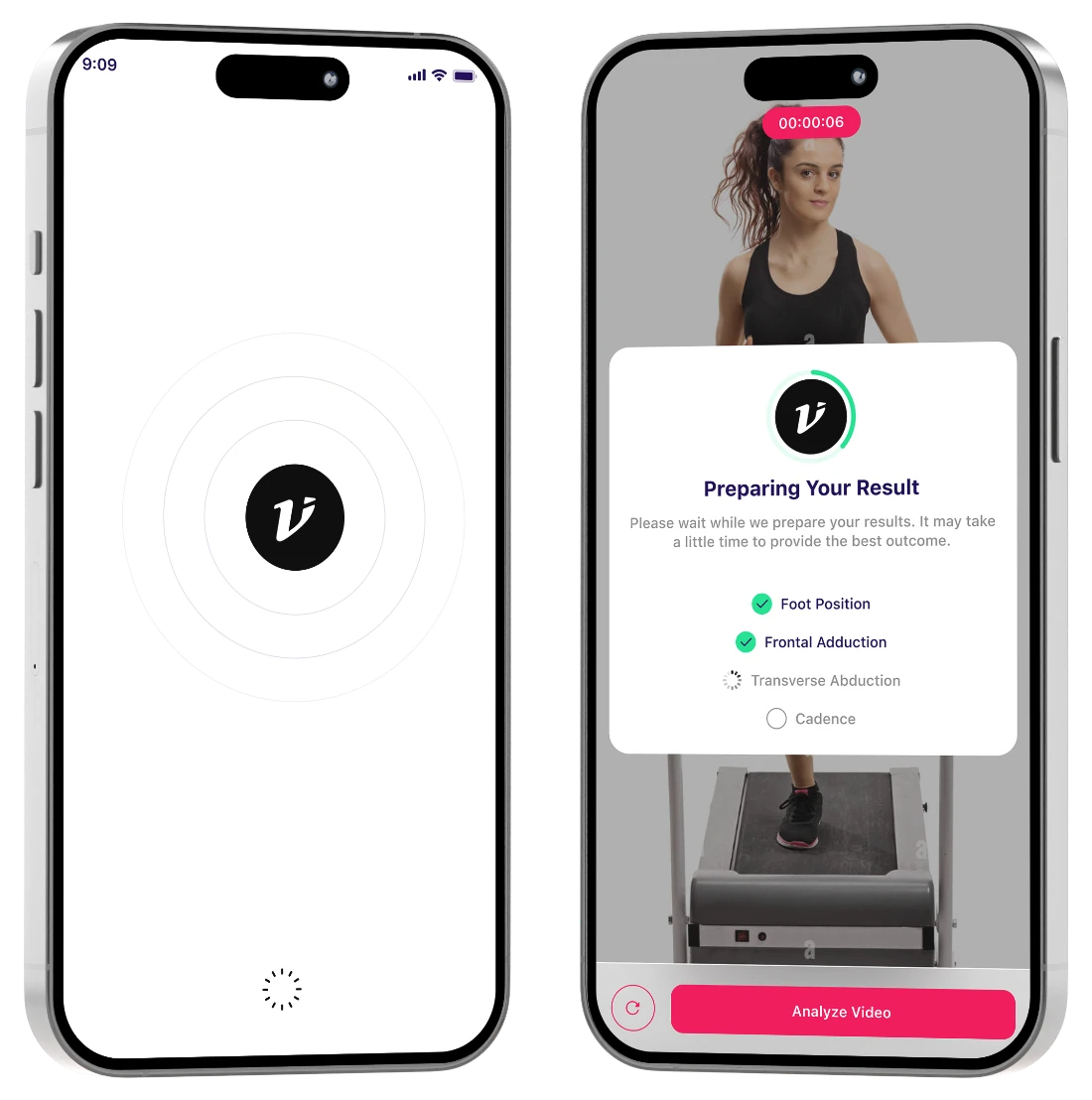
Vimazi splash and "Preparing Your Result" screens
Project Description

Vimazi AR & AI Body Measurement App

Vimazi is an AR and AI body measurement app that supports clinicians during patient movement assessments, from verified clinician access and patient profiles to session setup and treadmill recording.

After recording, clinicians review the movement analysis through visual measurement references and values, then save results, view reports, and export them as CSV or PDF.

The app was built with React Native, Expo, and TypeScript, backed by Node.js, MongoDB, and Firebase Authentication.

Project Goals & Key Features

  1. Clinician Authentication & Patient Management

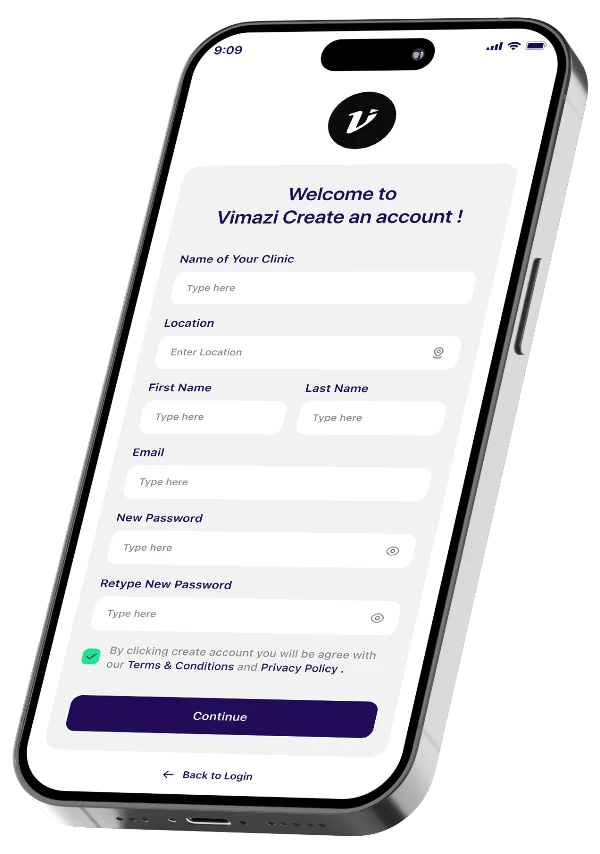
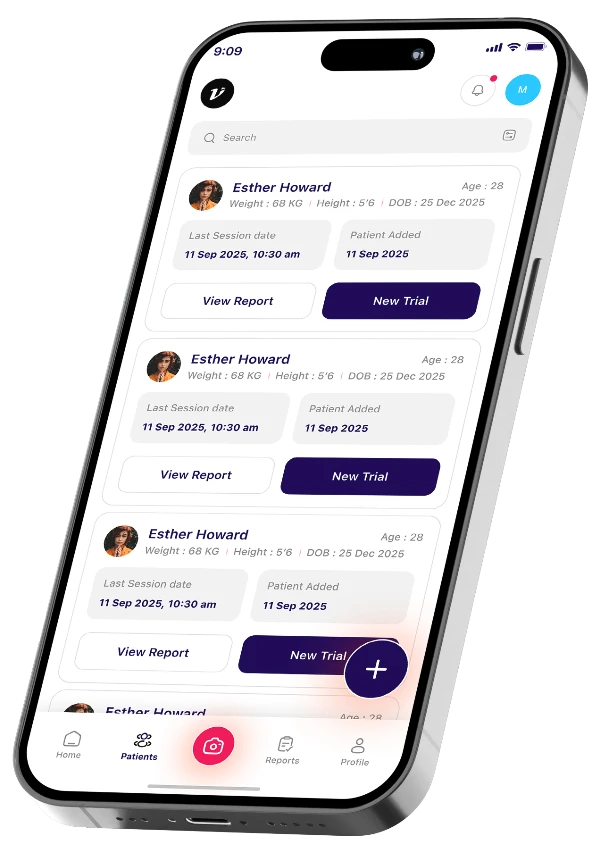
    Clinician registration, login, password recovery, license verification, and patient management, including adding patients and accessing their profiles.

  2. Assessment Session Setup

    A session configuration flow for selecting patients and setting assessment details, including cadence, footwear, gait type, and treadmill speed.

  3. AR-Based Body Measurement

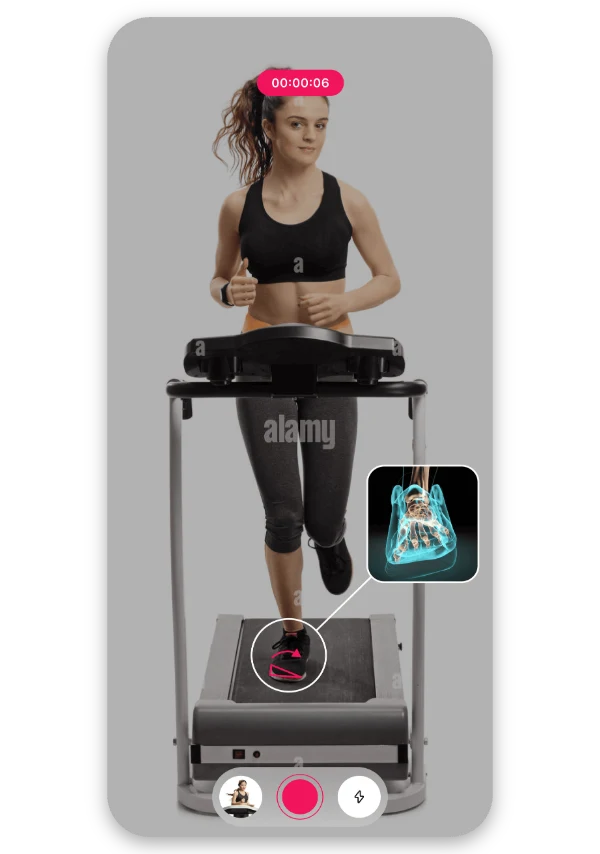
    AR-based body measurement supported by visual references and measurement values within the assessment results interface.

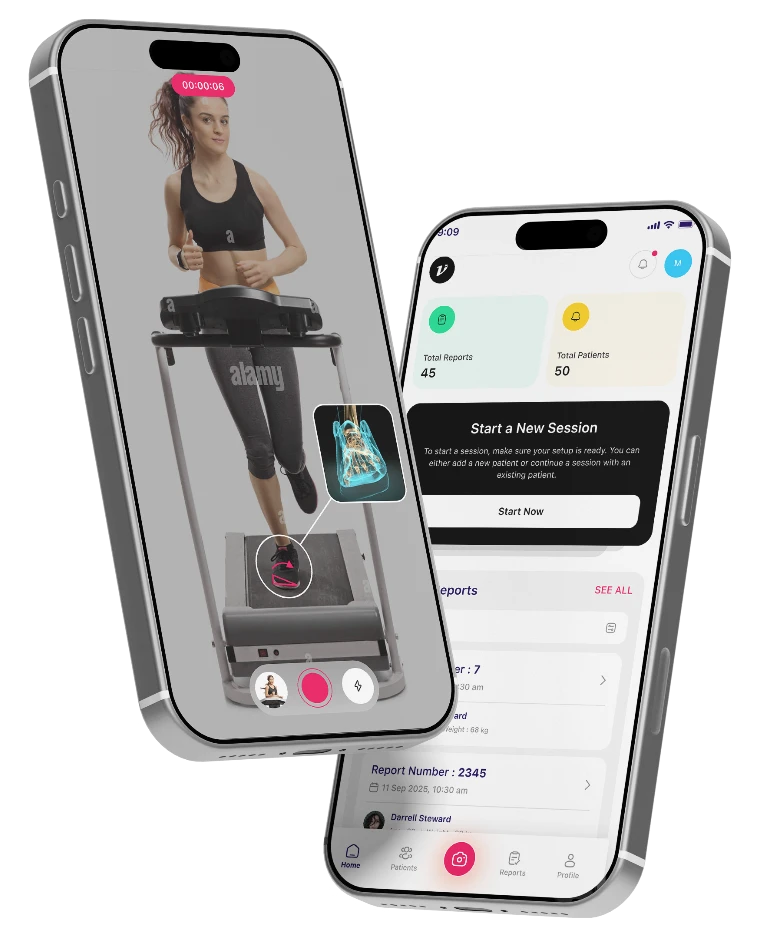
Vimazi treadmill recording and home dashboard screens
  1. Movement Recording & AI Analysis

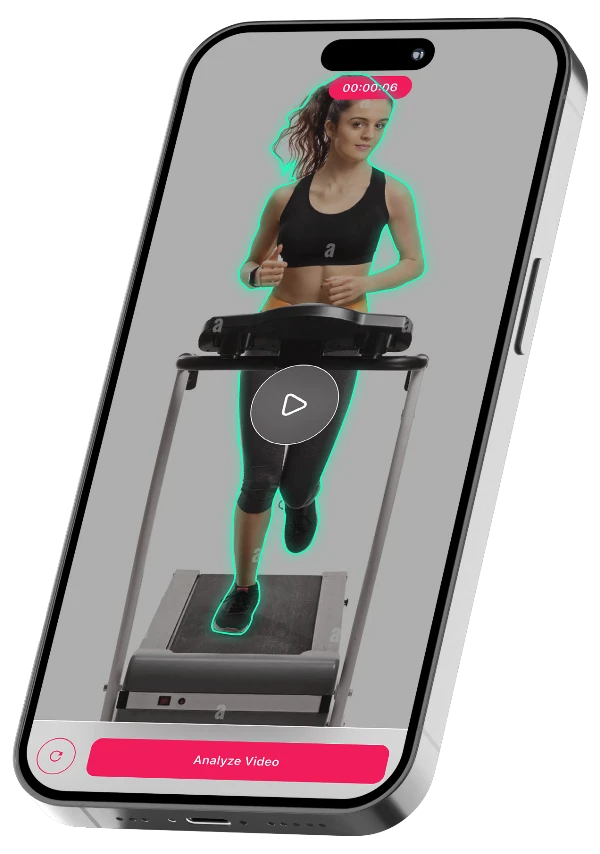
    A treadmill video recording and review experience followed by movement analysis and result visualization.

  2. Measurement Results & Visualization

    Visual results for ankle eversion, plane adduction, transverse plane abduction, cadence, and Frontal Plane Jerk.

  3. Reports & Result Management

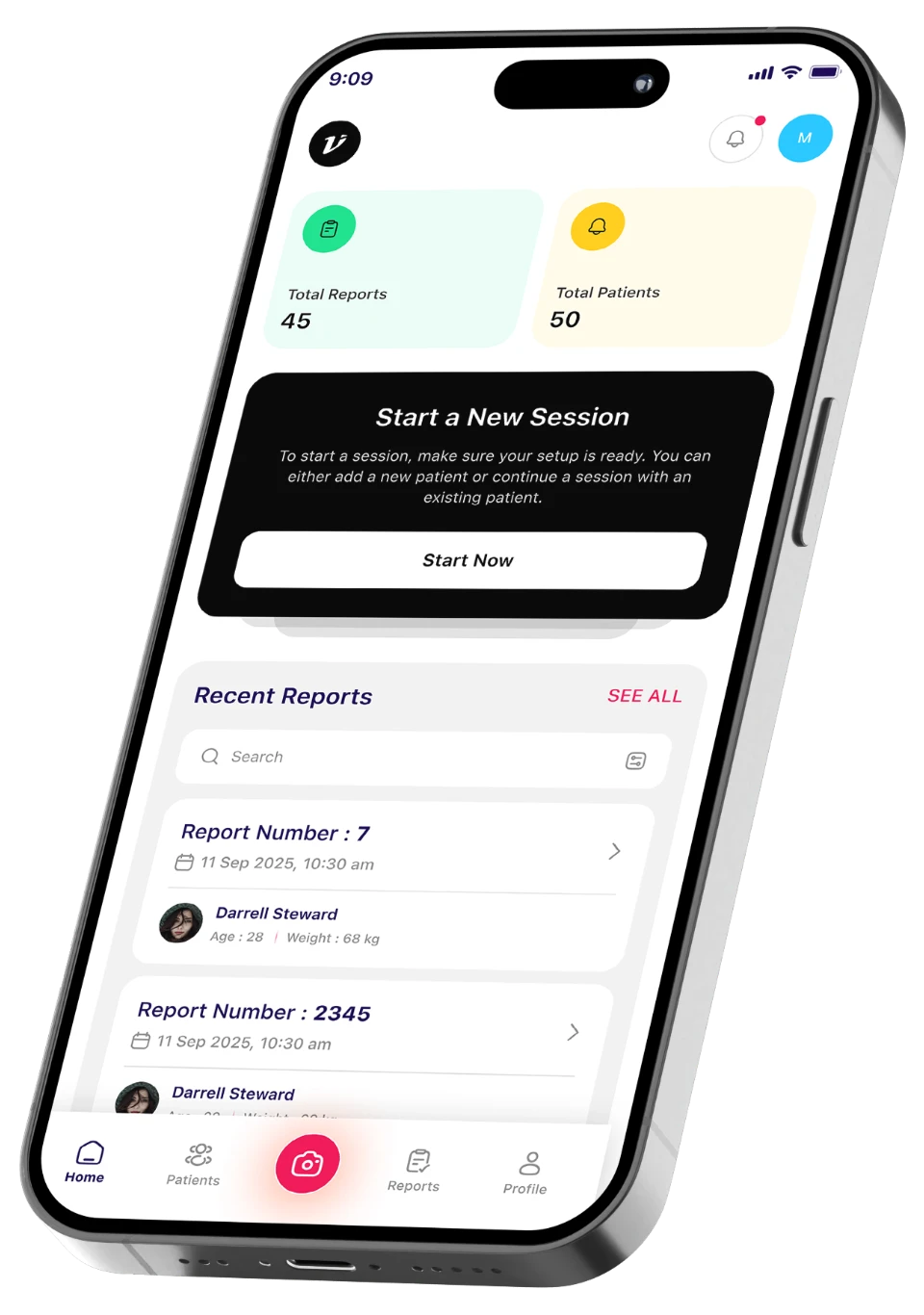
    Assessment report viewing, result saving, report management, and export options in CSV and PDF formats.

Product Strategy

Where Strategy Meets Execution.

The application follows a connected assessment workflow, taking clinicians from patient setup to movement recording and result review.

Manage — 01

Manage Patients

Add patients, maintain their profiles, and select the patient for an assessment.

Configure— 02

Configure Assessments

Set up the session using patient details, gait type, footwear, cadence, and treadmill speed.

Vimazi home dashboard with recent reports

03 — Record

Record & Analyze Movement

Capture treadmill movement and proceed to the movement analysis results experience.

04 — Review

Review & Manage Results

Explore visual measurements, review assessment information, save results, and export reports.

Product Outcomes

Built for a More Structured Movement Assessment.

Vimazi brings clinician access, patient management, assessment setup, movement recording, and measurement reporting into one mobile application, creating a connected workflow for reviewing patient movement assessments.

Build Your App
  1. 01Dedicated clinician registration and license verification.
  2. 02Centralized patient profiles and information management.
  3. 03Configurable assessment sessions with patient and gait details.
  4. 04Treadmill movement recording and video review.
  5. 05AR-based measurement references and visual results.
  6. 06Movement analysis results across different measurement parameters.
  7. 07Assessment report viewing and result saving.
  8. 08CSV and PDF report export options.
Technology Behind The Project

The Stack Behind Vimazi.

A technology foundation combining cross-platform mobile development, backend services, database management, authentication, and development tools to support the application.

  • React Native
  • Expo
  • TypeScript
  • Node.js
  • MongoDB
  • Firebase Authentication
  • Xcode
  • Git

A Closer Look At The Vimazi App.

01 - Clinician Access

Get Verified. Start Assessing.

A dedicated clinician access experience with account registration, login, and license verification to provide clinicians with access to the application.

  • Clinician Login
  • Sign-Up
  • Verification
  • License Access
Vimazi clinician access screen

02 - Patient Management

Manage Patients. Access Details.

A centralized patient management experience where clinicians can access the patient list, add new patients, and view individual patient information.

  • Patient List
  • Add Patient
  • Patient Profiles
Vimazi patient management screen

03 - Assessment Setup

Configure Sessions. Prepare for Movement.

A session setup experience that allows clinicians to select a patient and configure assessment details, including gait type, footwear, cadence, and treadmill speed.

  • Patient Selection
  • Gait Type
  • Footwear
  • Treadmill Speed
Vimazi assessment setup screen

04 - Movement Recording

Capture Movement. Review Sessions.

A dedicated treadmill recording interface that allows clinicians to capture patient movement and review the recorded video before proceeding with analysis.

  • Video Recording
  • Treadmill Session
  • Video Review
Vimazi movement recording screen

05 - Measurement & Analysis

Visualize Movement. Review Results.

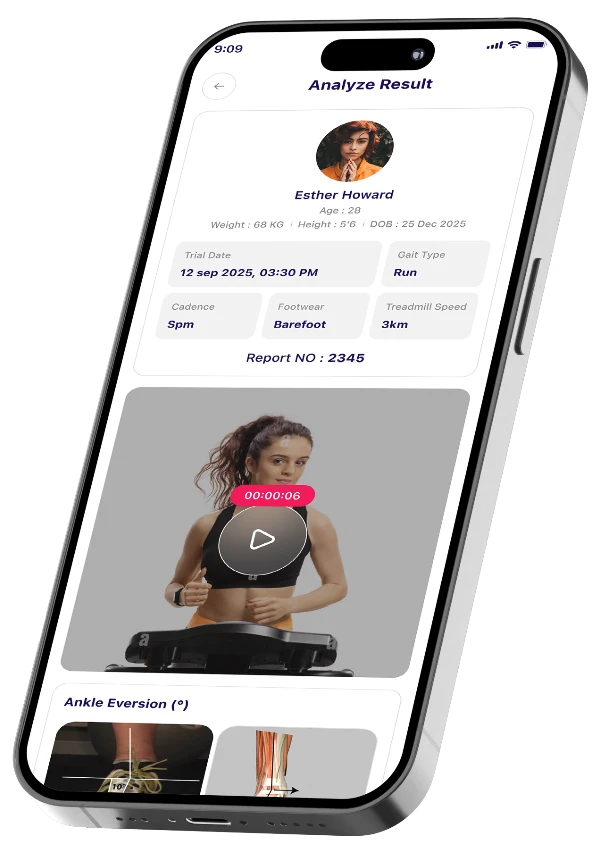
A detailed results interface presenting ankle eversion, plane adduction, transverse plane abduction, cadence, and Frontal Plane Jerk measurements through visual references and displayed values.

  • Ankle Eversion
  • Plane Adduction
  • Cadence
  • Movement Results
Vimazi measurement & analysis screen

06 - Reports & Result Management

Save Results. Export Reports.

A report view that brings assessment details, recorded video, and measurement results together, with options to save, export, and delete reports.

  • Report View
  • Save Results
  • CSV Export
  • PDF Export
Vimazi reports & result management screen

More Ways To
Connect On Vimazi.

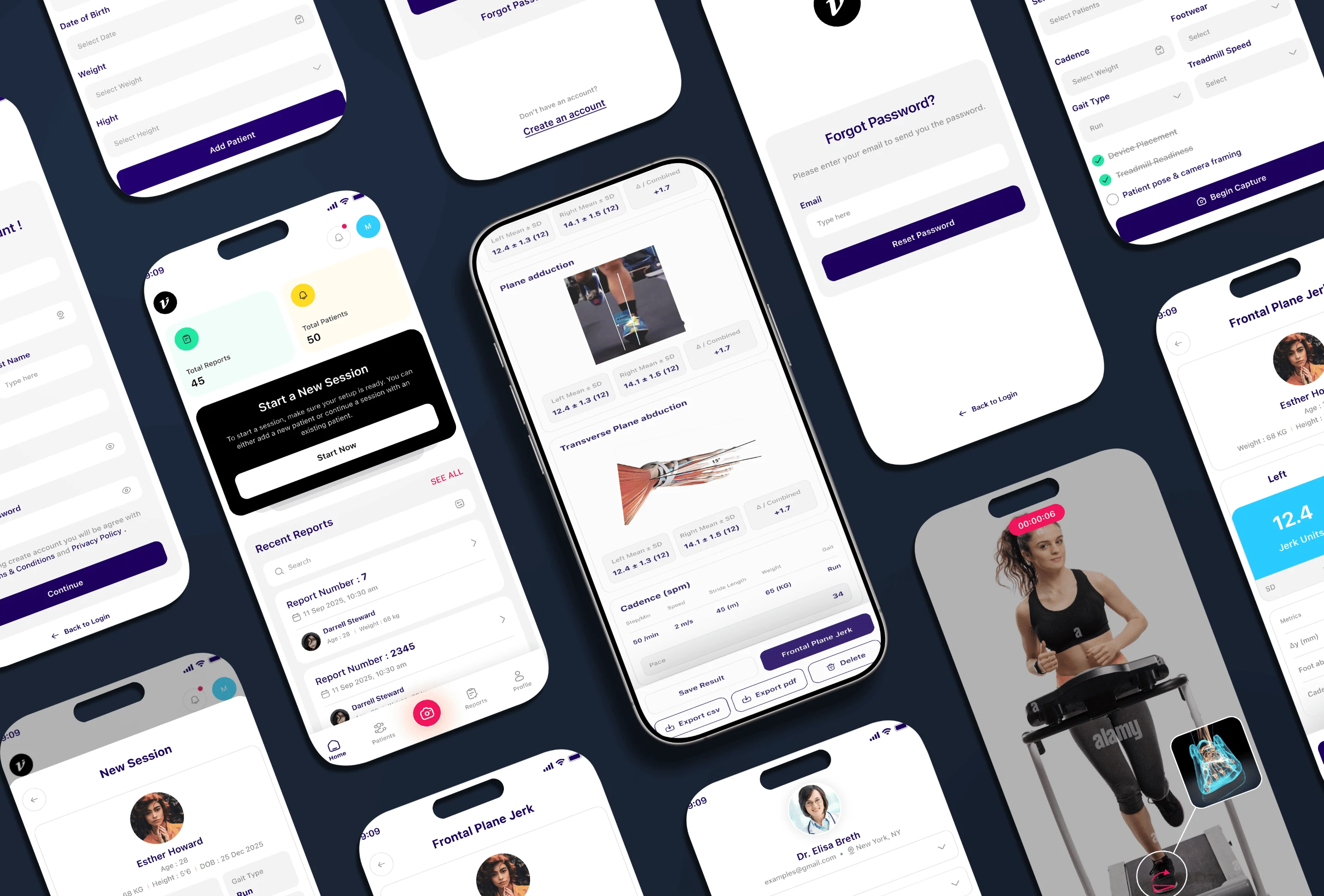
From clinician access and patient profiles to session setup, treadmill recording, and movement reports, Vimazi brings the full assessment workflow together in one connected app.

Vimazi screens: patient profiles, home dashboard, movement analysis, treadmill recording and password reset
Testimonials

What Our Clients Are Saying.

I had a really good experience working with Waqas and his team at DevPixel Solutions on the development of our Tawadoo app. From the beginning, Waqas understood what we wanted to build and was always willing to discuss ideas and find the right solutions. His team did a great job turning our requirements into a working app. What I appreciated most was their communication, patience, and willingness to make adjustments whenever needed. Waqas stayed involved throughout the project and made sure things kept moving in the right direction. It was a pleasure working with Waqas and his team. I'd happily recommend DevPixel Solutions to anyone looking for a reliable team for mobile app development.

Ready to See More?

More Products. More Stories. More Work. Explore the case studies behind the products.

Explore More Case Studies
Ready to Build What's Next?

Your App
Could Be Next.

Status: Taking_OrdersMobile apps from idea to App Store